Correlator3D alternative for cloud drone mapping with SimActive Correlator3D price compared
SimActive prices Correlator3D at $295 a month, $2,950 a year or $5,900 for a permanent license, per computer, and it runs on 64-bit Windows with a graphics card. That is a fair price for a fast desktop engine, but it covers one workstation and one operator. A Correlator3D alternative makes sense when your flights end in an orthomosaic, a surface, a volume and a link for the client, and three or more people need to work with them. DroneMapping processes photos from any drone in the cloud, in any browser including a Mac, with 10 seats on Team at $249 a month or $1,488 a year.
net volume
net volume
Side by side
SimActive Correlator3D vs DroneMapping on price, hardware and outputs
SimActive details come from the Correlator3D pricing page, the features page and the version 11 user manual on simactive.com, checked in October 2026. DroneMapping prices are the ones on our pricing page.
| What you compare | SimActive Correlator3D | DroneMapping |
|---|---|---|
| Published price | $295 a month, $2,950 a year, $5,900 permanent, $6,400 permanent floating | Starter $99 a month, Team $249, Business $599, or $588, $1,488 and $3,588 a year |
| What one license covers | One computer, cameras up to 61 MP, all modules, unlimited images | The company plan with 3, 10 or 25 seats |
| Support and updates | 1 year included on permanent licenses, later years not priced on the page | Included while you subscribe |
| Larger cameras | Medium format up to 100 MP, large format and satellite editions quoted | Drone cameras, 500 photos per flight |
| Operating system | 64-bit Windows | Any browser on Mac, Windows, Linux or a tablet |
| Hardware | 12 GB RAM and an OpenCL graphics card, NVIDIA required for Gaussian splats | None, processing runs on our servers |
| Orthomosaic, DSM and DTM | Yes | Yes, on every plan |
| 3D model and point cloud | 3D model, dense point cloud, Gaussian splats | 3D textured model and LAS or LAZ point cloud on Team |
| Aerial and satellite imagery | Ultracam, Phase One, ADS, scanned film, WorldView, Pleiades and more | No, drone photos only |
| LiDAR | Registers imagery with LiDAR and colorizes point clouds | No LiDAR |
| Volumes and cut and fill | Volume calculation and 3D change detection | Stockpile volumes on every plan, cut and fill against a design surface on Team |
| Client sharing | Exports | View links on every plan |
The short version: Correlator3D is a production photogrammetry engine for mapping firms that process aircraft, satellite and drone imagery on their own PCs. DroneMapping is the better buy for a survey or construction firm whose drone flights end in a map, a surface, a stockpile number and a link the superintendent or client can open without installing anything.
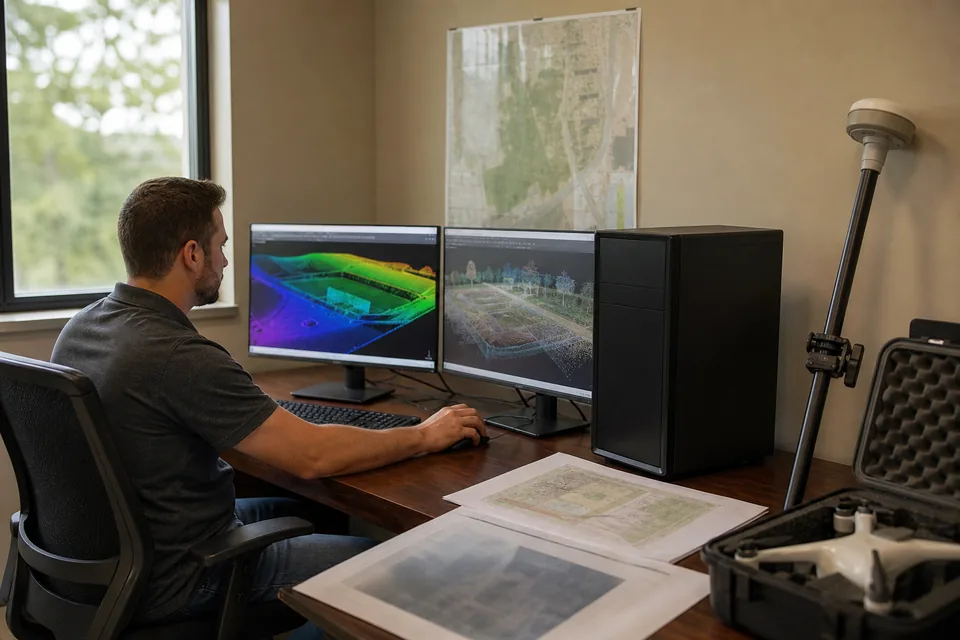
How SimActive prices it
Correlator3D price and how the SimActive license works
SimActive is one of the few desktop photogrammetry vendors that prints its prices. The drone tier, which covers cameras up to 61 MP, comes in four forms. The monthly subscription is $295. The yearly subscription is $2,950, which works out to two months free against paying monthly. A permanent license is $5,900 with one year of technical support and software updates, and a permanent floating license, which can move between computers on your network, is $6,400.
All four include every module and an unlimited number of images, so you do not pay per project or per gigapixel. What the page does not print is the cost of support and updates after the first year on a permanent license, and the prices of the Medium Format (up to 100 MP), Large Format and Satellite editions. Those are quoted.
Before you buy, ask SimActive or your reseller for three numbers in writing: the yearly maintenance price on a permanent license from year two, the price of a second license for a second processing computer, and whether the floating license counts concurrent users or installations.
No workstation needed
Correlator3D system requirements and why a cloud tool removes them
Correlator3D runs on 64-bit Windows. SimActive's version 11 manual recommends an Intel Core i5 or better and 8 GB of RAM or more, the features page lists 12 GB of RAM, and the graphics card has to support OpenCL, with NVIDIA, AMD and Intel processors listed. Gaussian splat generation needs an NVIDIA card. SimActive's community forum suggests an NVIDIA GeForce RTX 3060 class card, 32 GB of RAM and an NVMe drive for comfortable drone work.
That is a modest machine by photogrammetry standards, which is part of Correlator3D's appeal. The catch is the same as with any desktop engine: the computer sits in one office, one person processes on it at a time, and a Mac user needs a separate Windows PC or a remote desktop. SimActive also lists AWS and Microsoft Azure as cloud options, which means running Correlator3D on a Windows virtual machine you rent and manage.
In DroneMapping the pilot uploads geotagged JPEGs from a browser on a MacBook, a Windows laptop or the office PC, and processing takes about 20 to 55 minutes for 100 photos or 1.5 to 3.6 hours for 500. Nothing installs and the laptop does not need a graphics card. Our page on photogrammetry software for Mac compares the desktop options for Apple offices.
Worked example
What a 3-person site team pays for Correlator3D and for DroneMapping over 3 years
Take a civil site contractor with a drone pilot, a project engineer and a superintendent. The pilot flies two active sites every two weeks, about 3,000 photos a month. The engineer wants a surface and a cut and fill map against the grading design, and the superintendent counts stockpiles at month end and sends the numbers to accounting.
| What the team buys | Correlator3D yearly | Correlator3D permanent | DroneMapping Team, yearly |
|---|---|---|---|
| Processing software, year 1 | $2,950 for one computer | $5,900 for one computer | $1,488 for 10 seats |
| Years 2 and 3 | $5,900 | Maintenance, quoted | $2,976 |
| Processing workstation | A Windows PC with a capable GPU, priced by you | A Windows PC with a capable GPU, priced by you | Not needed |
| Second person processing at the same time | A second license | A second license or a $6,400 floating license | Included in 10 seats |
| Client view of the map | Exports you send | Exports you send | View links, included |
| Known 3-year software total | $8,850 for one seat | $5,900 plus 2 years of maintenance | $4,464 |
The permanent license looks cheaper over three years if maintenance stays low, and for a firm that keeps one processing PC for five years it can be. The difference for a site team is who can use it. With Correlator3D the engineer and the superintendent wait for the pilot to process and export. With a cloud plan all three open the same map, draw their own volumes and share a link, for about half the cost of the yearly license.
Honest fit
When Correlator3D is still the better choice
Keep Correlator3D, or run it next to us, if most of these are true:
- You process imagery from manned aircraft cameras such as UltraCam, Phase One or Leica ADS, or scanned historical film.
- You work with satellite imagery from WorldView, Pleiades or SPOT for regional mapping.
- Your jobs combine photos with LiDAR, and you need the imagery registered to the LiDAR or orthos rectified to a LiDAR DEM.
- You run very large projects with no limit on images per job, well past 500 photos per flight.
- You need NDVI from multispectral drone sensors on a desktop license, or Gaussian splats for visualization.
- Your data has to stay on your own hardware for contract or security reasons.
The trade is per-computer licensing and a Windows workstation. A small firm where the pilot, the engineer and the superintendent all touch the data pays for a license that only one of them can run at a time.
Built for site work
A Correlator3D alternative for survey and construction crews
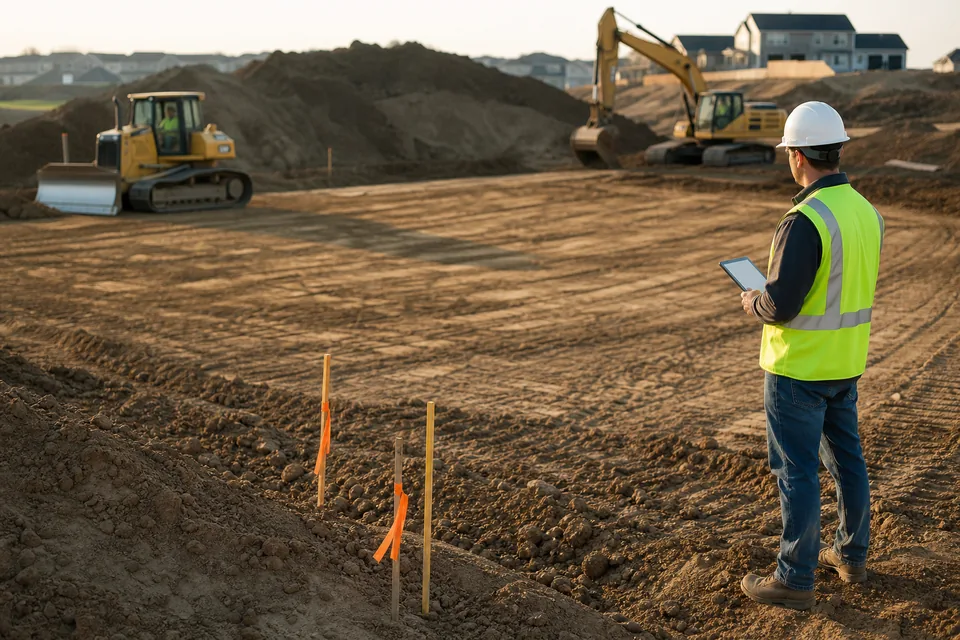
Correlator3D was built for mapping agencies and production photogrammetry shops, and it shows in the sensor list. Most drone survey and construction firms produce a narrower set of things each week: an orthomosaic for the progress meeting, a DSM and a bare-earth DTM, contours for the engineer, a stockpile number for accounting and a cut and fill map against the design.
DroneMapping covers that list in one plan. Contours export as DXF or SHP, surfaces as GeoTIFF and the point cloud as LAS or LAZ, in the State Plane or UTM zone you pick by EPSG code. The GCP and checkpoint report shows RMSE in X, Y and Z, so the engineer can sign off on the surface. Our stockpile volume measurement page shows the month-end inventory report, and the cut and fill software page shows what the design comparison reports.
What we do not do: LiDAR, thermal, aircraft and satellite imagery, Gaussian splats and flights over 500 photos. If those are why you bought Correlator3D, keep it for those jobs and run the routine site flights through us.
Switching
How to test a Correlator3D alternative on a project you already processed
A fair test uses a flight with a known answer.
- Pick a site you trust: a surveyed stockpile or a pad with checked elevations.
- Use the same control: export the GCP coordinates as CSV and hold two or three points back as checkpoints.
- Upload the original photos: the geotagged JPEGs from the drone's card, not the orthos Correlator3D produced.
- Match the coordinate system: the same EPSG code and the same vertical units.
- Compare the numbers: checkpoint RMSE in X, Y and Z, the stockpile volume and the contour lines against your Correlator3D output.
- Share it: send the view link to the superintendent and see whether anyone misses the desktop workflow.
Weighing other desktop engines too? Our Metashape alternative, ContextCapture alternative and Pix4D alternative pages cover the same workstation question for those tools.
Try it on a real surface
Measure a processed site before you create an account
The demo loads a sample stockpile yard, an earthworks pad and a field. Toggle contours, draw a volume and read an elevation profile in the browser, on a Mac or a PC.
Pricing
What DroneMapping costs next to a Correlator3D license
Starter is $99 per month or $588 per year: orthomosaic, DSM and DTM, measurements and volumes, view links, 3 seats and 3,000 processed images a month. Team is $249 per month or $1,488 per year and adds the 3D textured model, the dense point cloud as LAS or LAZ, GCP and checkpoint reports, DXF and SHP contours, stockpile PDFs and cut and fill, with 10 seats and 15,000 images. Business is $599 per month or $3,588 per year with 25 seats, 50,000 images and multispectral processing. Team on yearly billing costs about half of one Correlator3D yearly subscription and covers ten people.
Questions
Correlator3D alternative FAQ
For a survey or construction firm that needs orthomosaics, surfaces, volumes and cut and fill for several people, a cloud platform priced per company, such as DroneMapping, replaces Correlator3D without a Windows workstation. For desktop processing with aircraft or LiDAR data, Pix4Dmapper, Agisoft Metashape Professional and iTwin Capture are the usual shortlist.
SimActive lists Correlator3D at $295 a month, $2,950 a year, $5,900 for a permanent license and $6,400 for a permanent floating license. Each covers cameras up to 61 MP with all modules and unlimited images. Permanent licenses include one year of support and updates. Medium format, large format and satellite editions are quoted.
No. SimActive supports Correlator3D on 64-bit Windows only, and there is no macOS or Linux build. Mac users run it on a separate Windows PC, a remote desktop or a Windows virtual machine on AWS or Azure. A cloud tool such as DroneMapping processes on its own servers, so a MacBook only uploads photos and measures in the browser.
Correlator3D needs a graphics card that supports OpenCL, from NVIDIA, AMD or Intel, and Gaussian splat generation requires an NVIDIA card. SimActive lists 12 GB of RAM on its features page. For drone projects SimActive's forum suggests an NVIDIA RTX 3060 class card with 32 GB of RAM and a fast NVMe drive.
Yes. SimActive offers a free trial download from its website, and the trial is the best way to check processing speed on your own computer. Compare the trial against a cloud test on the same flight, with the same ground control, so you judge accuracy and the time your team spends, not only the license price.
Yes. Correlator3D includes volume calculation, DEM inspection, contour extraction and 3D change detection. It does not include a client view link or a month-end inventory report built for accounting, so most construction teams export the surface to another tool. DroneMapping measures stockpiles on every plan and exports a PDF report on Team.
Related pages
More on choosing Correlator3D or another option
- Correlator3D price with every SimActive license and a 3-year team cost
- ContextCapture alternative for teams quoted iTwin Capture Engine
- Metashape alternative for firms weighing Agisoft Professional
- Pix4D alternative with the full Pix4D price list for a 3-person team
- DJI Terra alternative for teams leaving another Windows and NVIDIA desktop tool
- Photogrammetry software for Mac for Apple Silicon offices
- Best drone mapping software compared by job and budget
Process your next site flight without a Windows workstation
Upload a flight you already ran through Correlator3D and compare the checkpoint error, the volumes and the contours side by side.